Note: Analysis of free-form questions is currently available when Text response or Whiteboard is selected for the candidate's response. Analysis of other response types coming soon.
To enable AI analysis on a free-form question, edit any assessment, and navigate to the Free-form section.
Then, toggle Enable AI analysis, so the green modal appears.
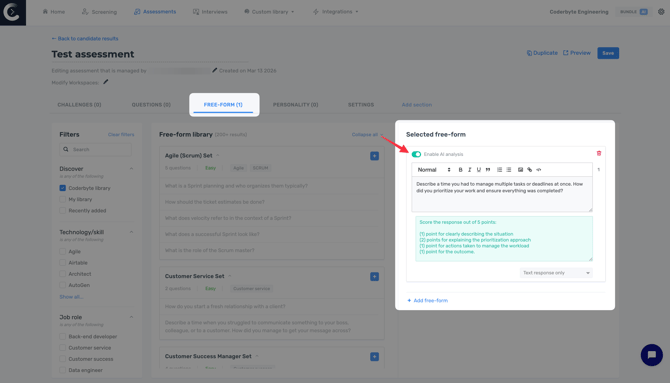
Once enabled, you can define how the AI should evaluate answers by entering a prompt in the AI analysis field.
This prompt should describe the criteria the AI should use when reviewing each answer. For example, you can instruct the AI to evaluate answers based on qualities such as clarity, completeness, or relevance, or ask it to grade answers by assigning points when specific criteria are met.
Free-form analysis responses
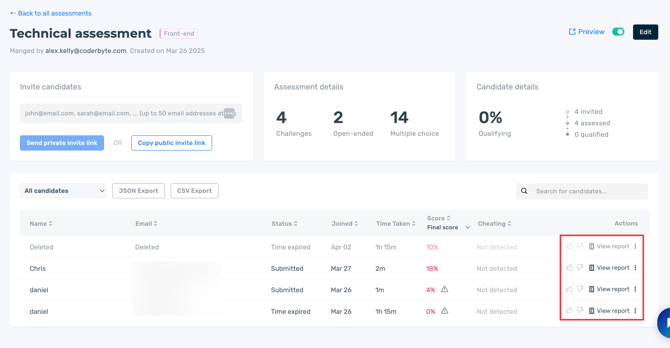
Every candidate who completes an Assessment will have a report that you can open from that Assessment's dashboard.
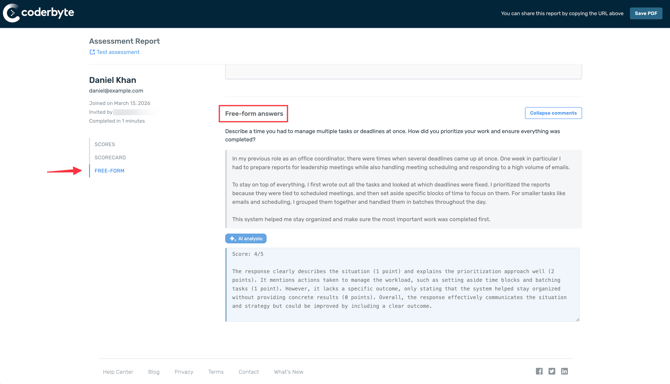
If you have enabled AI analysis on free-form questions when editing your assessment and provided a prompt for evaluation, then you will see an automatically generated analysis of the candidate's free-form answer.
This is found under the section Free-form in the candidate's report.