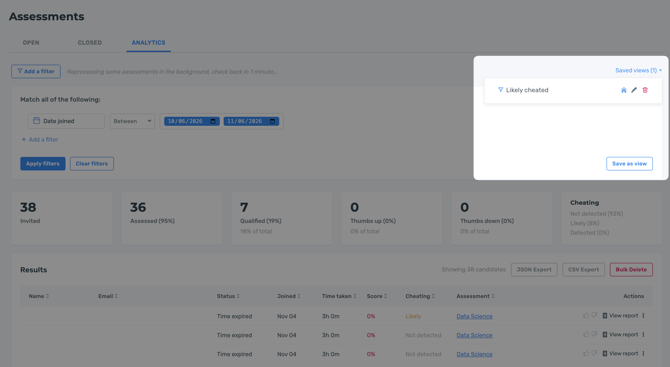
Assessment Analytics allows you to generate reports and analyze candidate performance across your assessments. You can query candidate data, review assessment results, and save reports for future reference.
To get started, navigate to Assessments and select the Analytics tab.
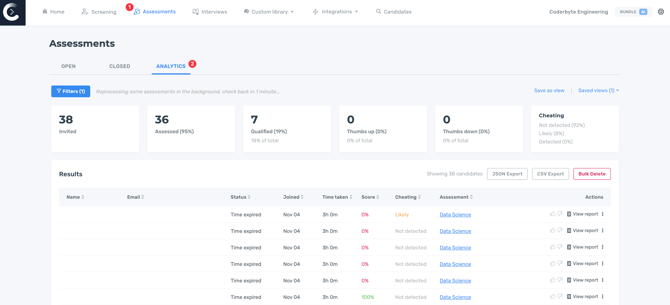
Click Filters and then Add a filter to narrow down candidate data by date range or assessment performance. You can apply multiple filters to customize your report and view candidates who meet your selected criteria.
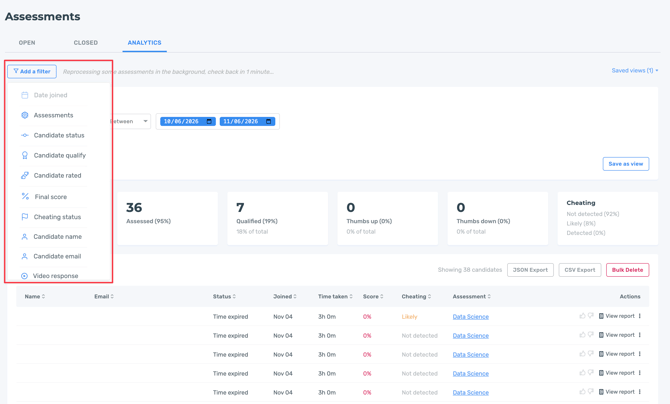
Premium filters
Additional filtering options are available with the Premium Analytics & Proctoring add-on and are included by default in Bundle annual and Enterprise plans.
These filters allow you to narrow down candidate data by challenge title, coding language, personality test, and workspace.
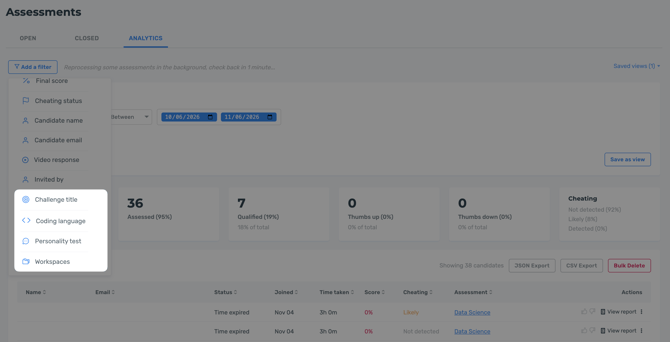
Saved views
To save filters for future re-use, click "Save view" when your filters are open. Once you provide a name and click save, you'll see your list of saved views. By toggling the "home" icon, you can have the saved views appear on the homepage of your dashboard.