
Each assessment in Coderbyte has an assigned manager who serves as the point of contact and receives email notifications when candidates complete the assessment.
Admins with the Owner or Manager permission role can assign or change the assessment manager.
Assigning an assessment manager
To assign or change the manager of an assessment, navigate to Assessments and select the assessment you'd like to edit.
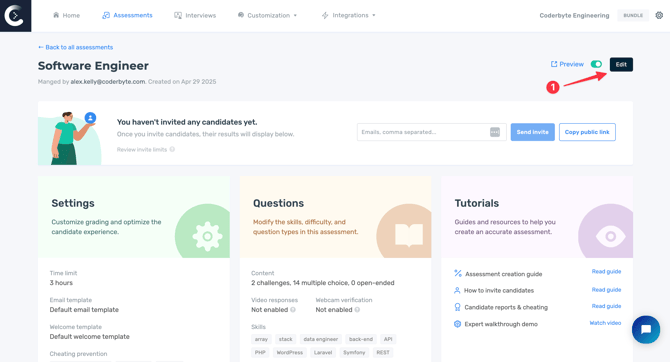
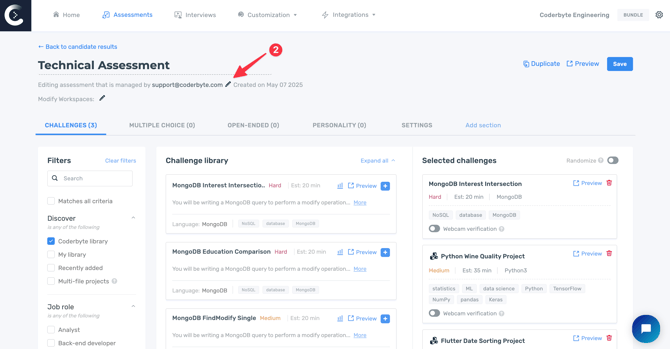
Under the assessment title, click the pencil icon next to Editing assessment that is managed by:.
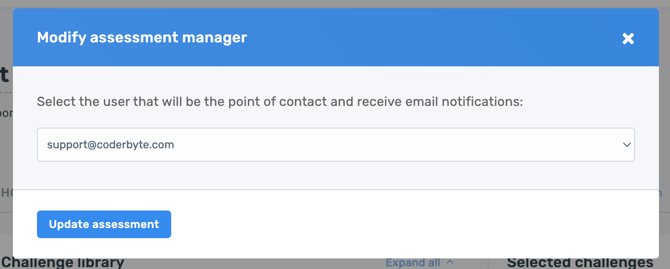
A modal will appear where you can select the admin you'd like to assign as the assessment manager.
Managing email notifications
By default, assessments are uncategorized, and only the assigned assessment manager receives email notifications when candidates complete them.
To allow additional admins to receive notifications, you can organize assessments into Workspaces and assign admins to those Workspaces.