
If your last invoice is overdue, your account on Coderbyte will automatically be suspended. Review the following scenarios for next steps.
Payment failed
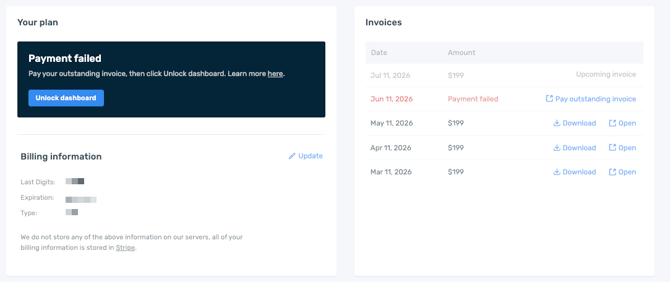
If on your Billing page you see a Payment failed message, you can click on Pay outstanding invoice next to the red Payment failed text. Once paid, you can click Unlock dashboard. If you need to update your card on file, simply click Update next to the Billing information.
If you'd like to switch plans, change billing admins, or pay via bank transfer, contact support or your account manager.
Account locked
If you do not have access to the Billing page or do not see an option to pay an outstanding invoice, contact support or your account manager.