
Coderbyte offers built-in video and audio communication, allowing interviewers and candidates to communicate directly within the interview environment. Video calls support two participants by default, but this limit can be increased by contacting our support team.
Starting a video call
During a live interview, click Video Call in the bottom right side to start a video call with the candidate.
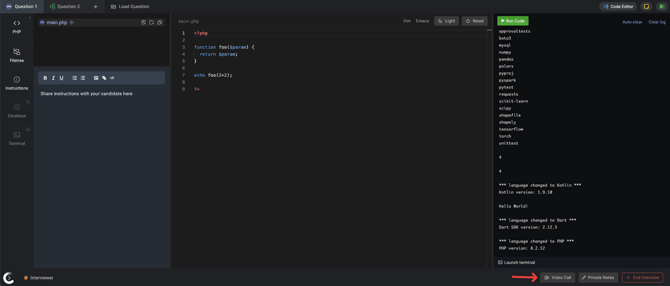
Once the call has started, you can turn your video and audio on or off as needed.
Note: Coderbyte does not record audio or video from its built-in video calls. If you need to record interviews, use AI notetakers, or other video conferencing features, we recommend using your own video conferencing tool, such as Google Meet, Zoom, or Microsoft Teams, alongside Coderbyte's interview environment.