
Step 1: First, make sure that you have the API add-on enabled.
Step 2: Refer to this Teamtailor support article on how to create a new Teamtailor API Key.
When creating the API Key, make sure to select the following options:
- Permission: Admin
- Type: Read/Write
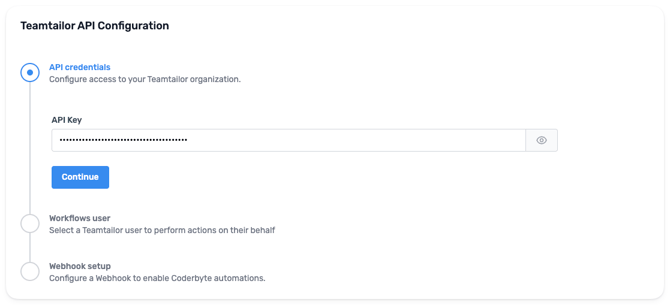
Step 3: Paste that newly created API key in the Teamtailor API Key field in Coderbyte and click Continue.
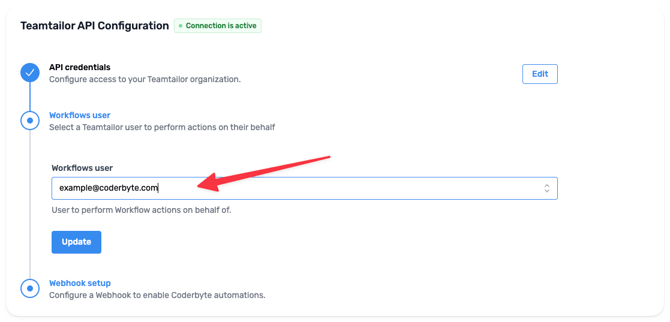
Step 4: Please select a Teamtailor user that will be used for the integration. Actions performed by Coderbyte automations will be behalf of this user. We recommend creating a separate user for Coderbyte to distinguish its actions from real users.
Step 5: In order to receive notifications from Teamtailor, we need a webhook to be set up between Teamtailor and Coderbyte.
Please follow instructions in this article to create a webhook for Coderbyte in your Teamtailor account.
Use the webhook details provided in the Coderbyte dashboard:
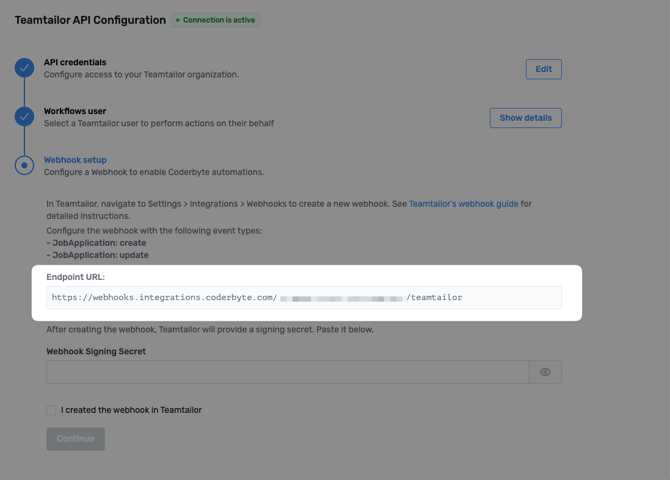
Make sure to provide exactly the same Endpoint URL as displayed in the dashboard.
Step 6: After creating the webhook, please enter the Signature Key into Coderbyte:
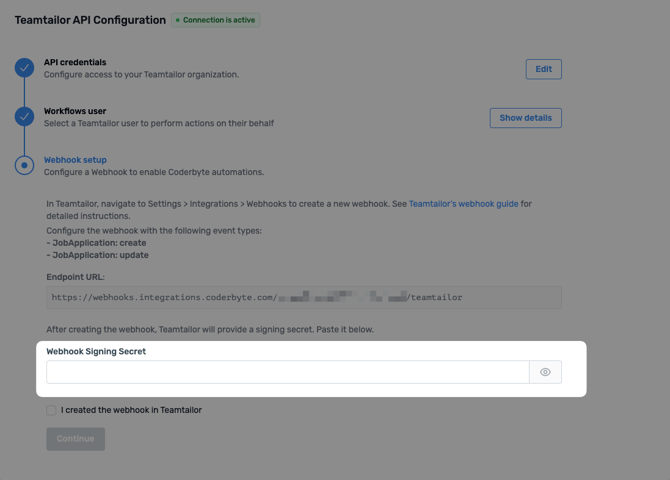
Step 7: Click Continue.
Step 8: You can now create Workflows to automate tasks between Coderbyte and Teamtailor.