
Email reminders allow you to automatically follow up with candidates who haven't completed their assessments, helping improve assessment completion rates.
Note: Email reminders are available with the Branding & customization feature add-on and are included by default in Bundle annual and Enterprise plans.
Enabling email reminders
To enable email reminders, open your assessment settings and navigate to Link settings. In the Send email reminders for private links dropdown, select your preferred reminder frequency from the available options.
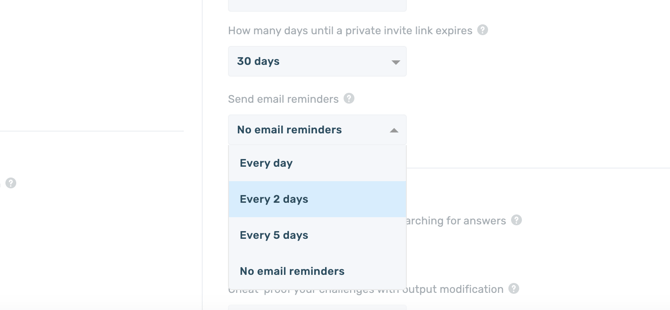
Reminders are sent up to three times or until the invitation link expires, whichever comes first.
Each reminder resends the original assessment invitation email with "Reminder:" added to the beginning of the subject line.